Applications > Dashboard
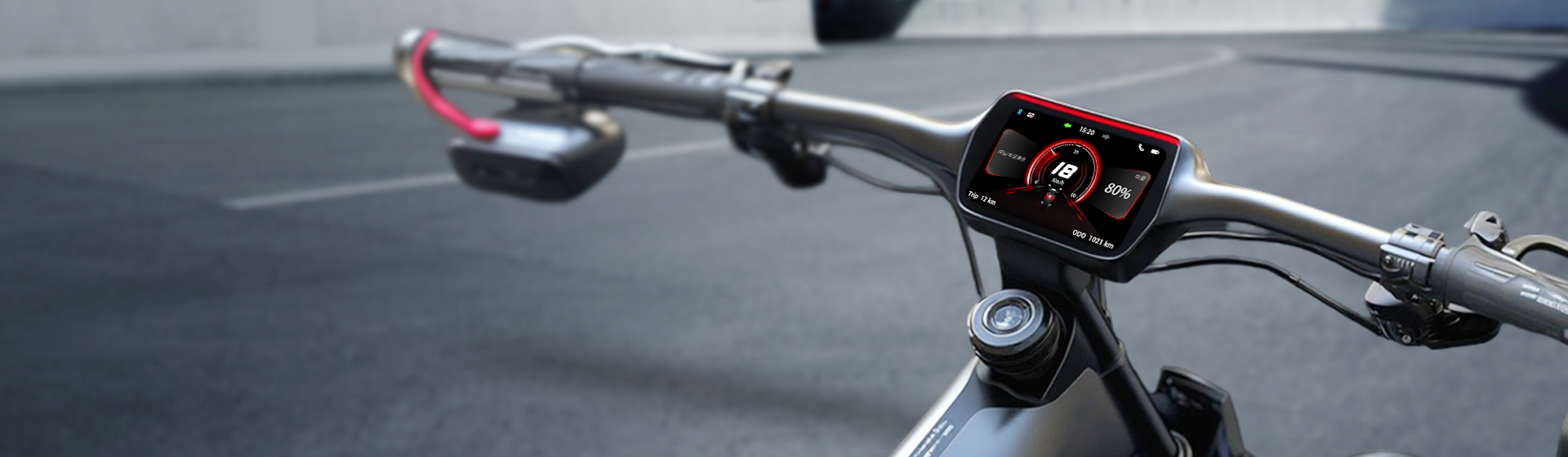

Realtek offers a comprehensive range of dashboard application solutions to meet diverse developer needs. Whether it is a single‑mode device supporting only Bluetooth LE, a dual‑mode device supporting both BR/EDR and Bluetooth LE, or a solution integrating Wi-Fi connectivity, Realtek's chip family provides robust display and peripheral interfaces, enabling developers to design and scale their systems with greater flexibility.
System Structure
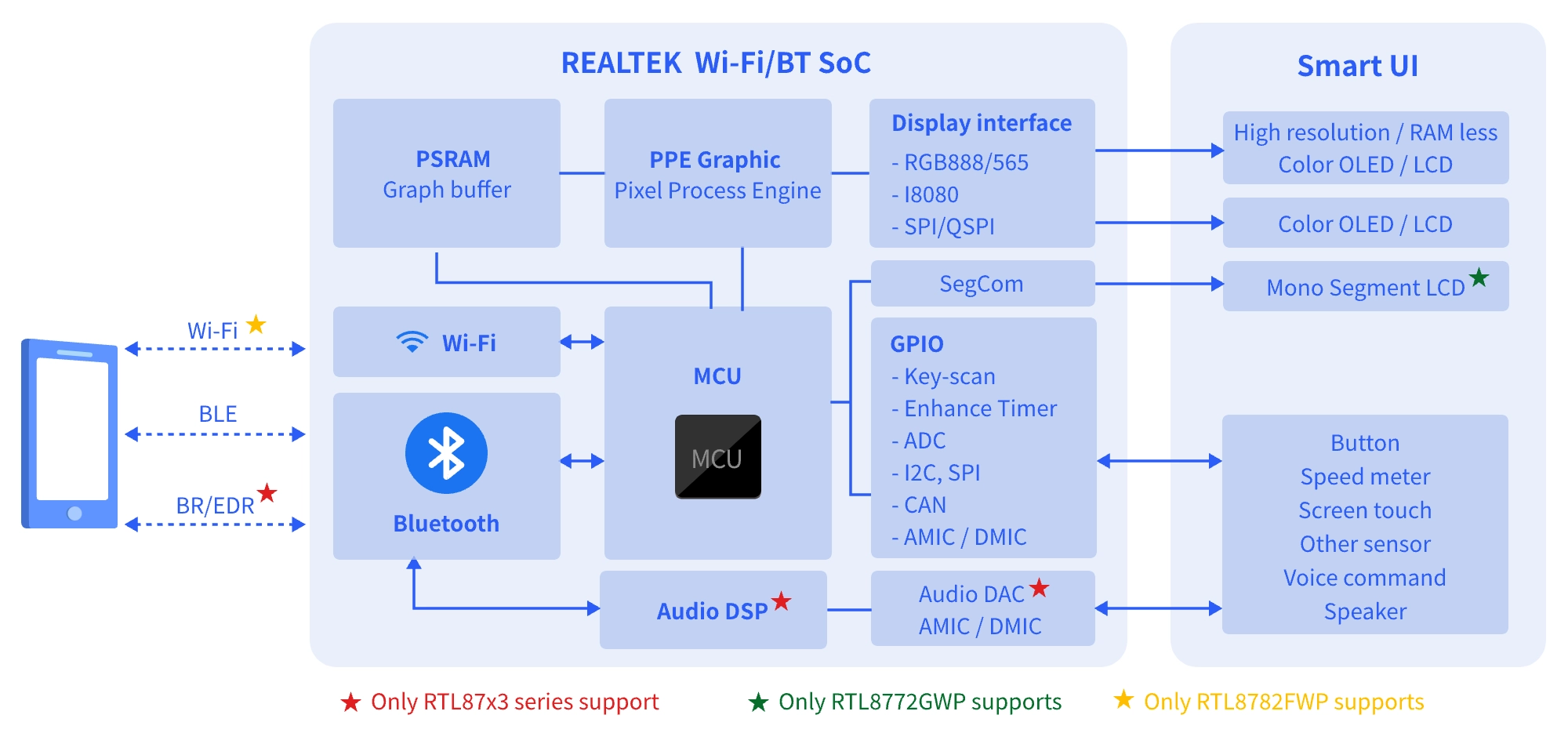
Realtek's single-mode Bluetooth (Bluetooth LE only) SoC, dual-mode Bluetooth (BR/EDR + Bluetooth LE) SoC and Wi-Fi SoC platforms provide robust Bluetooth/Wi-Fi communication capabilities, integrating mainstream display interfaces and image processing engines within the chip. Coupled with a wealth of peripheral interfaces like SPI, I2C, CAN, PWM, and Keyscan, these platforms enable developers to fully unleash their creativity. The comprehensive product family makes it easy for developers to choose suitable and competitive solutions.
The Realtek SDK includes a complete user interface development toolkit, allowing developers to quickly bring their ideas to life.
Application Scenarios


Advantages of Solution

Supports mainstream display interfaces, including QSPI, I8080, RGB565, and RGB888.

Integrates a wide range of peripheral interfaces, including SPI, I2C, GPIO, CAN, PWM, and Keyscan.

Supports 2.5D display effects, hardware-accelerated lossless image compression, and local two-way voice communication between two helmets.

Multiple IC package options provide the flexibility required for a wide range of applications.

Provides a comprehensive SDK package that includes complete product reference projects, a mobile app SDK, OTA tools, and mass-production tools. The RVD graphical user interface design tool further reduces development effort and accelerates time to market.
Industry Solutions
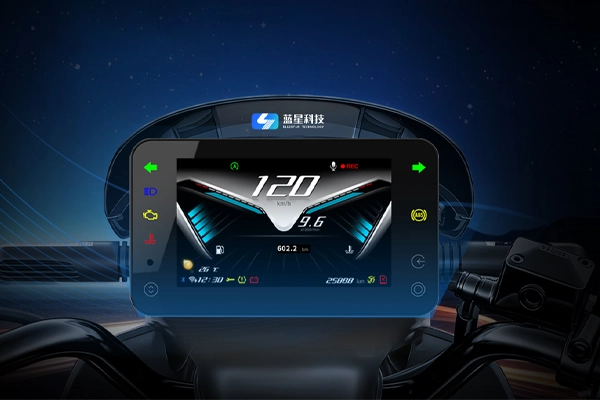
Cooperating with RealMCU, Bluestar launches a versatile smart riding dashboard. It supports non-touch safe operation and real-time vehicle data display. With cloud service, cost efficiency and fast mass production, it empowers intelligent travel upgrade.
Start Implementing My Dashboard Application
Clarify functional and performance specifications of the software product through comprehensive analysis of target user demographics and market positioning, establishing clear guidelines for subsequent development.
Evaluate candidate ICs based on computational performance, power efficiency, cost-effectiveness, and supply chain reliability to pre-qualify key components for the Bill of Materials (BOM).
Design the software architecture with modular principles and interface protocols to ensure operational efficiency, maintainability, and scalability.
Collaborate with hardware engineers on circuit and PCB development, optimizing physical layout and thermal management while adhering to Design for Manufacturing (DFM) and assembly requirements.
Hardware reference links: RTL8773E HDK, RTL8772G HDK
Implement and optimize code on the hardware platform to guarantee functional completeness and system robustness, with provisions for maintainability and OTA update capabilities.
SDK reference links: RTL8773E SDK, RTL8772G SDK
Document reference links: RTL8773E DOC, RTL8772G DOC
Conduct multi-level verification (unit/integration/system testing) to identify and resolve defects, ensuring final deliverables meet reliability benchmarks.
Build engineering prototypes for scenario-based testing, collect user feedback for iterative refinement, and complete full-process validation prior to mass production.
Recommended Chips
| RTL8773ETP | RTL8772GWP | RTL8773EWP | RTL8782FWP | |
|---|---|---|---|---|
| PSRAM | 4MB | 4MB | 8MB | 16MB |
| Bluetooth Version | BR/EDR + BLE 5.3 | BLE 5.3 | BR/EDR + BLE 5.3 | Wi-Fi 6 Dual-band + BLE 5.4 |
| Display Interface | SPI QSPI I8080 | QSPI I8080 RGB565 RGB888 SegCom (4×32) | QSPI I8080 RGB565 RGB888 | I8080 RGB565 RGB888 |
| Display Resolution | 2.8"~4.3" 500×500, 45fps | 4.5"~6" 800×480, 30fps | 4.5"~6" 800×480, 30fps | 4.5"~6" 800×480, 30fps |
| Image Decomp. | HW RTZIP | N | HW RTZIP | HW JPEG/MJPEG |
| Graphic | - 2.5D Graphic - Swipe, Fade in/out - Rotate, Zoom, Transparency | - 2.5D Graphic - Swipe, Fade in/out - Rotate, Zoom, Transparency | - 2.5D Graphic - Swipe, Fade in/out - Rotate, Zoom, Transparency | - 2.5D Graphic - Swipe, Fade in/out - Rotate, Zoom, Transparency |
| CAN Controller | CAN ×1 | CAN ×1 | CAN ×1 | CAN ×2 |
| Operation Temperature | -40~85°C | -40~85°C | -40~85°C | -20~85°C -40~105°C |
| Package (mm) | QFN68, 7×7 | QFN88, 10×10 | QFN88, 10×10 | QFN100, 10×10 |




 苏公网安备32059002006558号